What’s coming next in Routific
- ReleasedNov 2026
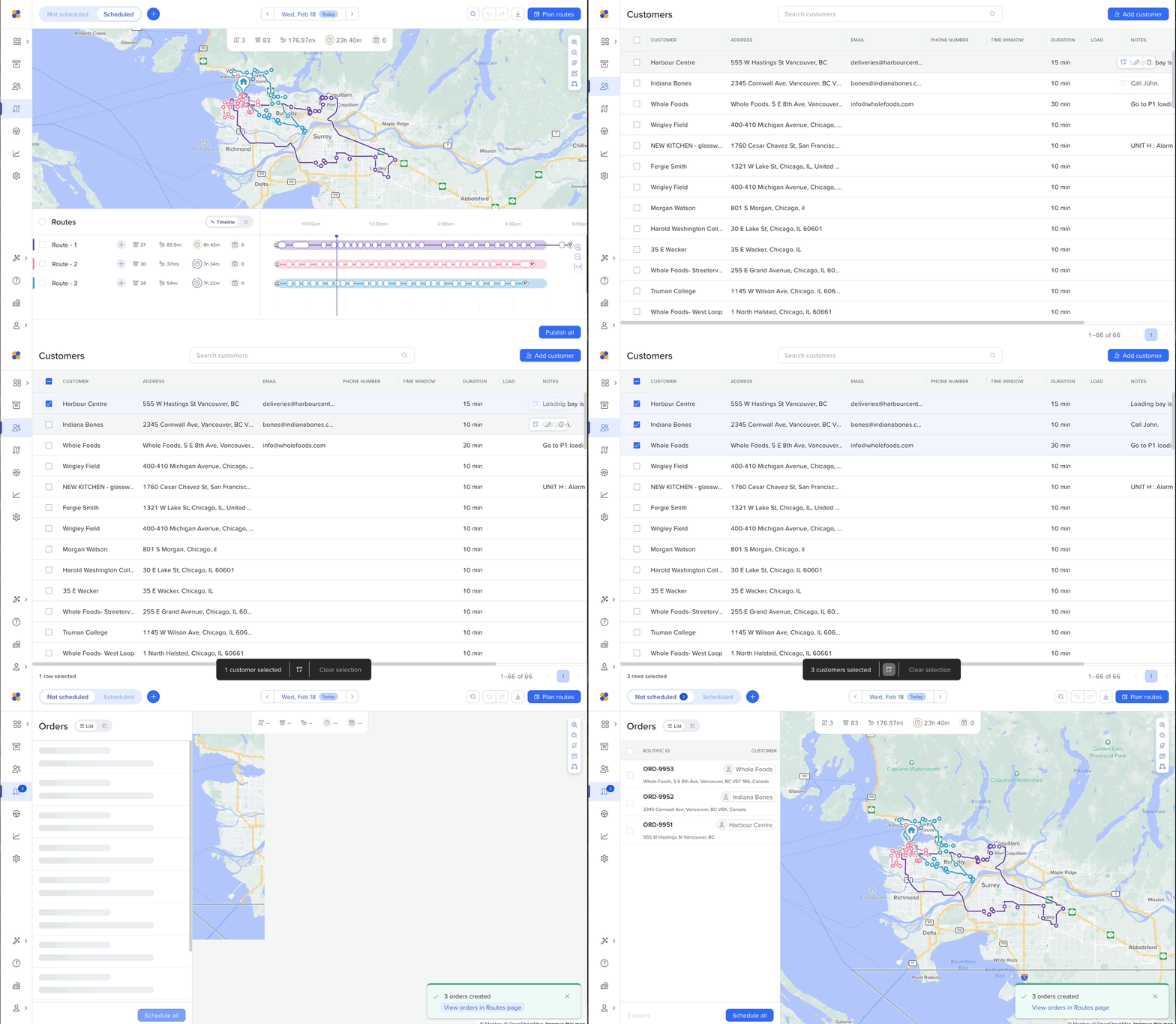
Routific remembers your customers
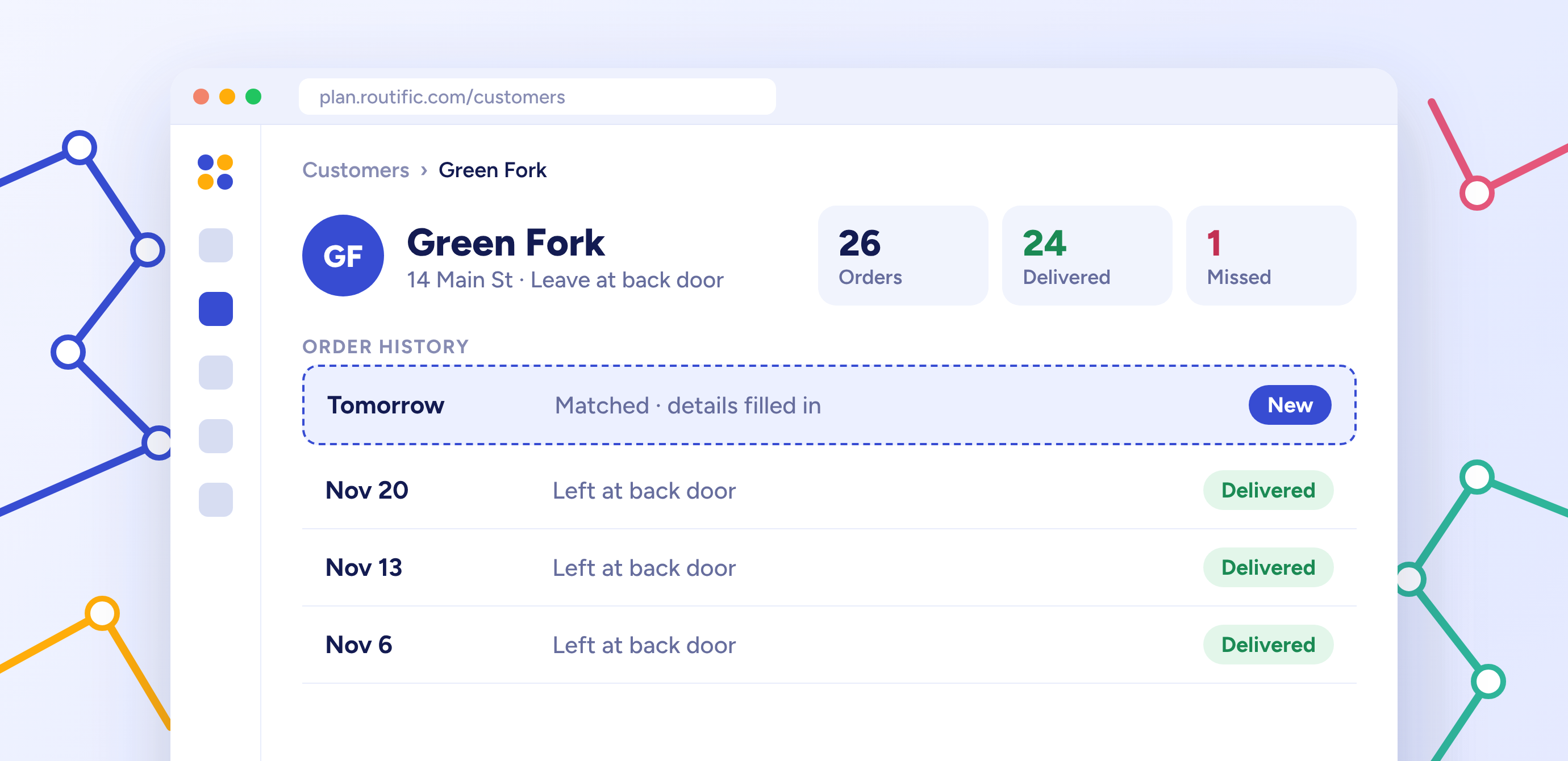
Save a customer once, and Routific takes it from there. Match: New orders are matched to the right customer, whether you typed them in, uploaded a spreadsheet, or sent them from the API or an integration. Enrich: Blank details like duration, notes, time window, and load are filled in from the customer's profile. Anything already on the order stays as is. Organize: Open any customer to see their delivery history, plus how many orders were delivered or missed. Already have orders in Routific? Select them on the Orders page and click Create customers to save up to 100 at a time. Learn more: https://help.routific.com/en/articles/57-how-to-save-customers-in-routific
Dispatcher appSee details → - ReleasedNov 2026
Plan routes from Claude and ChatGPT (beta)
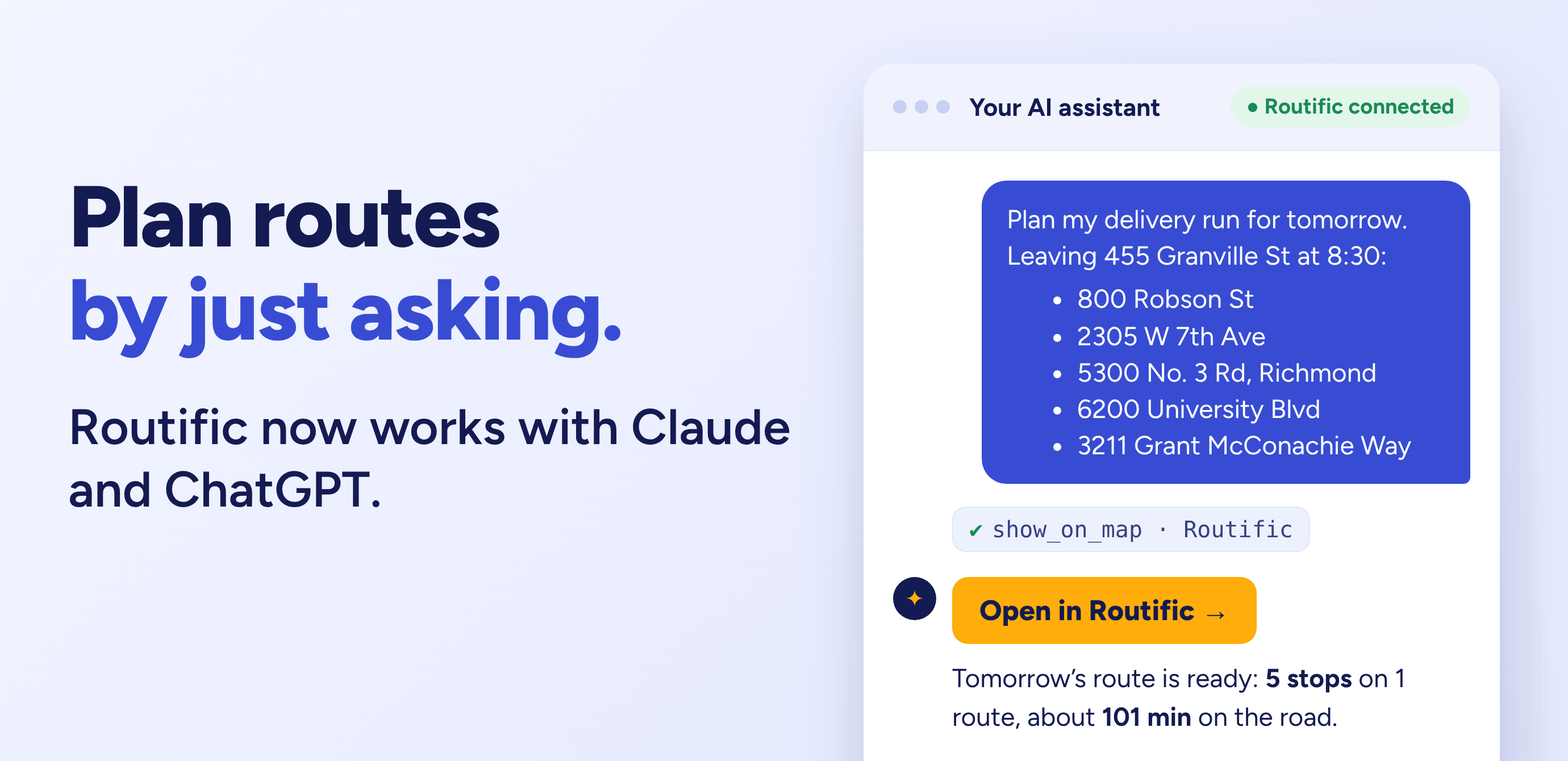
Connect Routific to Claude or ChatGPT and plan routes by just asking. Get a quick optimized route for up to 8 stops right in chat, no sign-in needed. With a Routific account, plan routes for your whole fleet with time windows and capacity, add orders, assign drivers, check route progress, and publish routes. Your assistant asks before it publishes, reassigns a driver, or deletes anything. Learn more: https://mcp.routific.com/
IntegrationsSee details → - ReleasedNov 2026
Accurate arrival, departure, and delivery times from the driver app
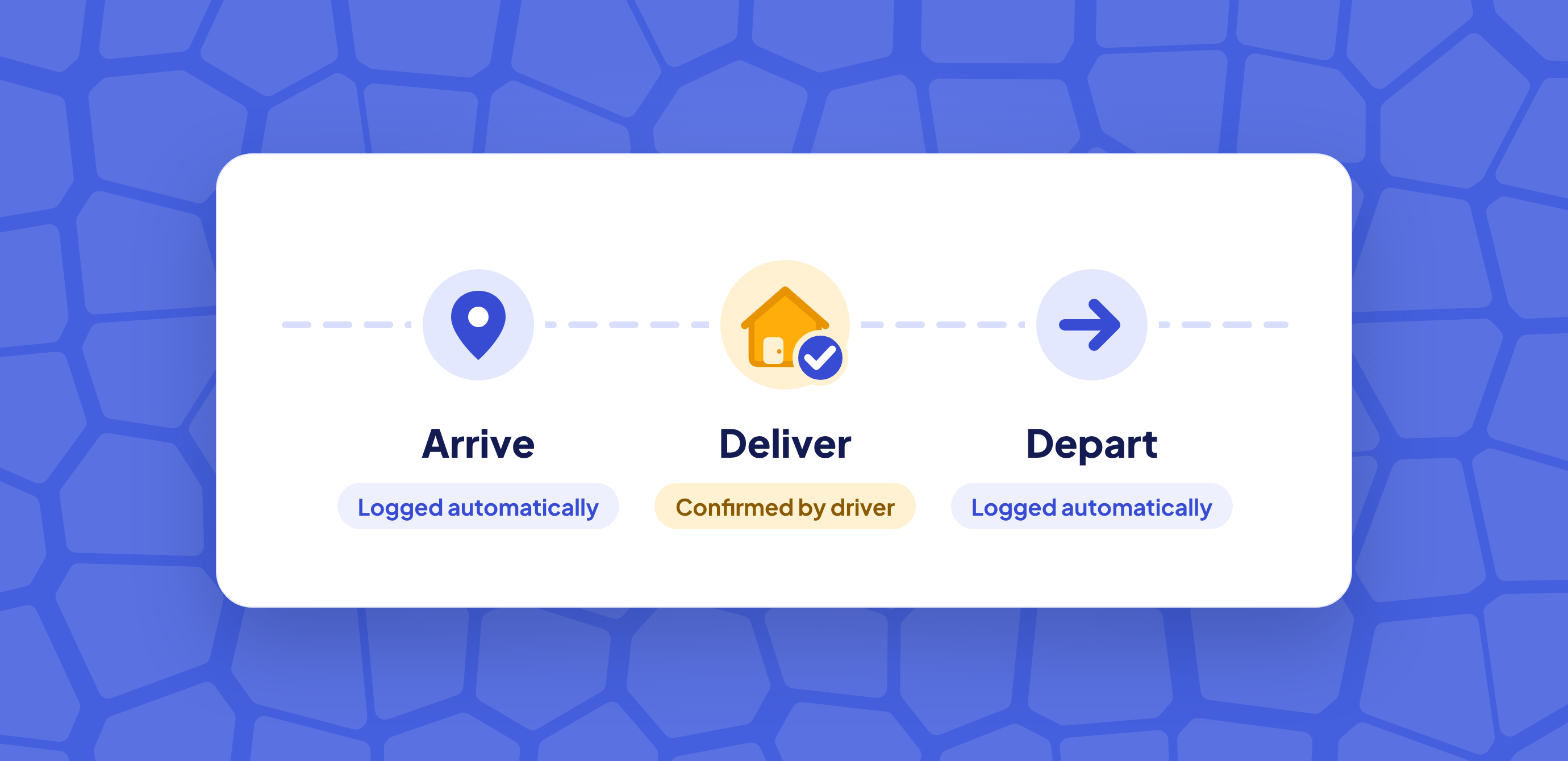
Every stop has two kinds of timing: Arrival and departure times tell you how long a stop really takes, which matters for route planning, driver management, and ETAs. Delivery time tells you when your customer actually received their order. The Routific driver app captures both, so you have a record of when each driver arrived at every stop, completed each delivery, and left. Arrival and departure are logged automatically in the background. Drivers don't need to do anything. At each stop, drivers see the order details and can mark each order delivered, missed, or come back to reattempt it later. They can add proof of delivery with photos, signatures, and package scans, and leave notes for the dispatcher. Compare planned and actual times in your route CSV export. Learn more: https://help.routific.com/en/articles/16-using-the-routific-mobile-app
Driver appSee details → - ReleasedNov 2026
Planned vs. actual, in one export
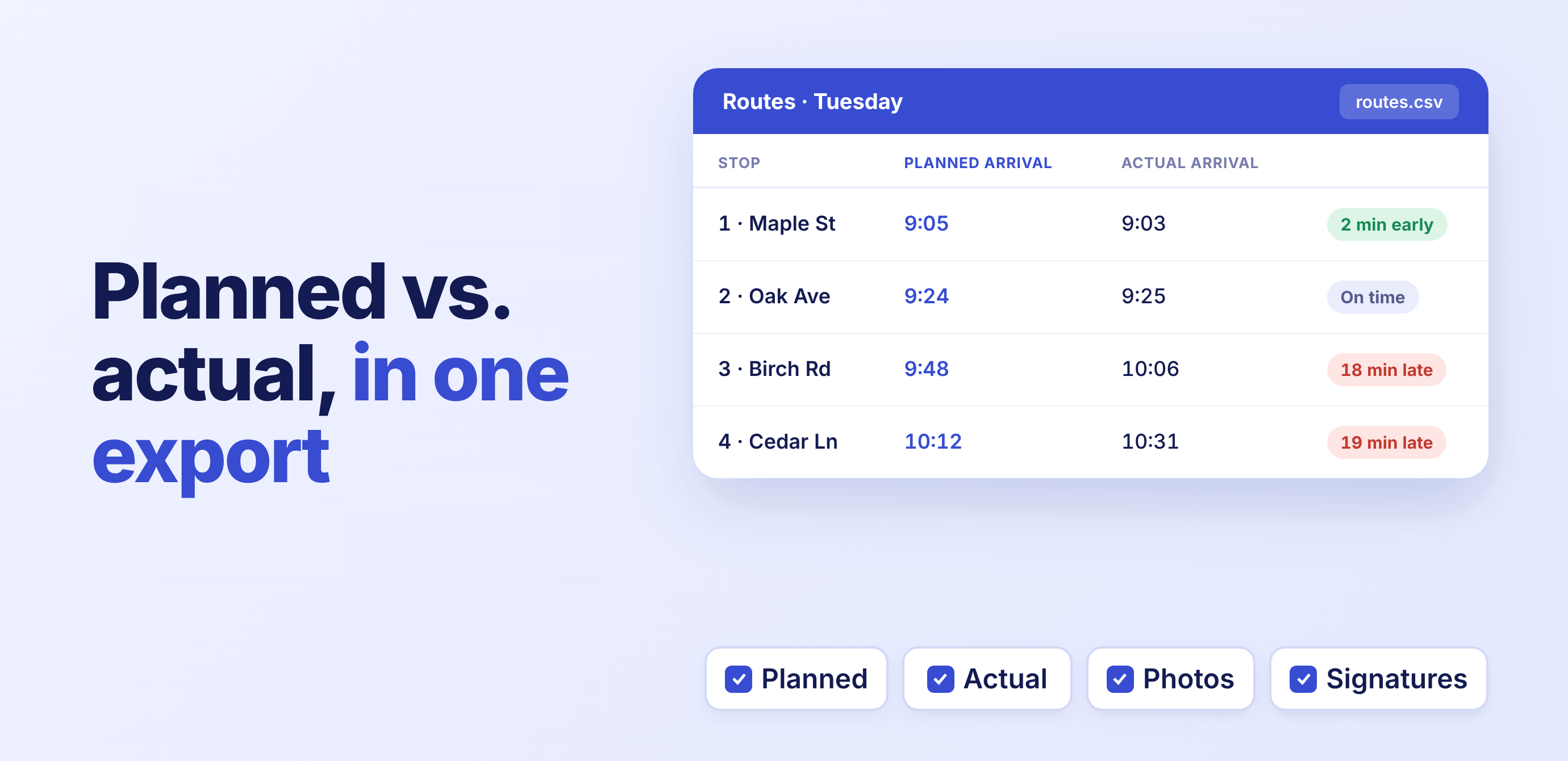
Your route CSV export now shows planned and actual times side by side, so you can see how each day really went.
Dispatcher appSee details → - ReleasedOct 2026
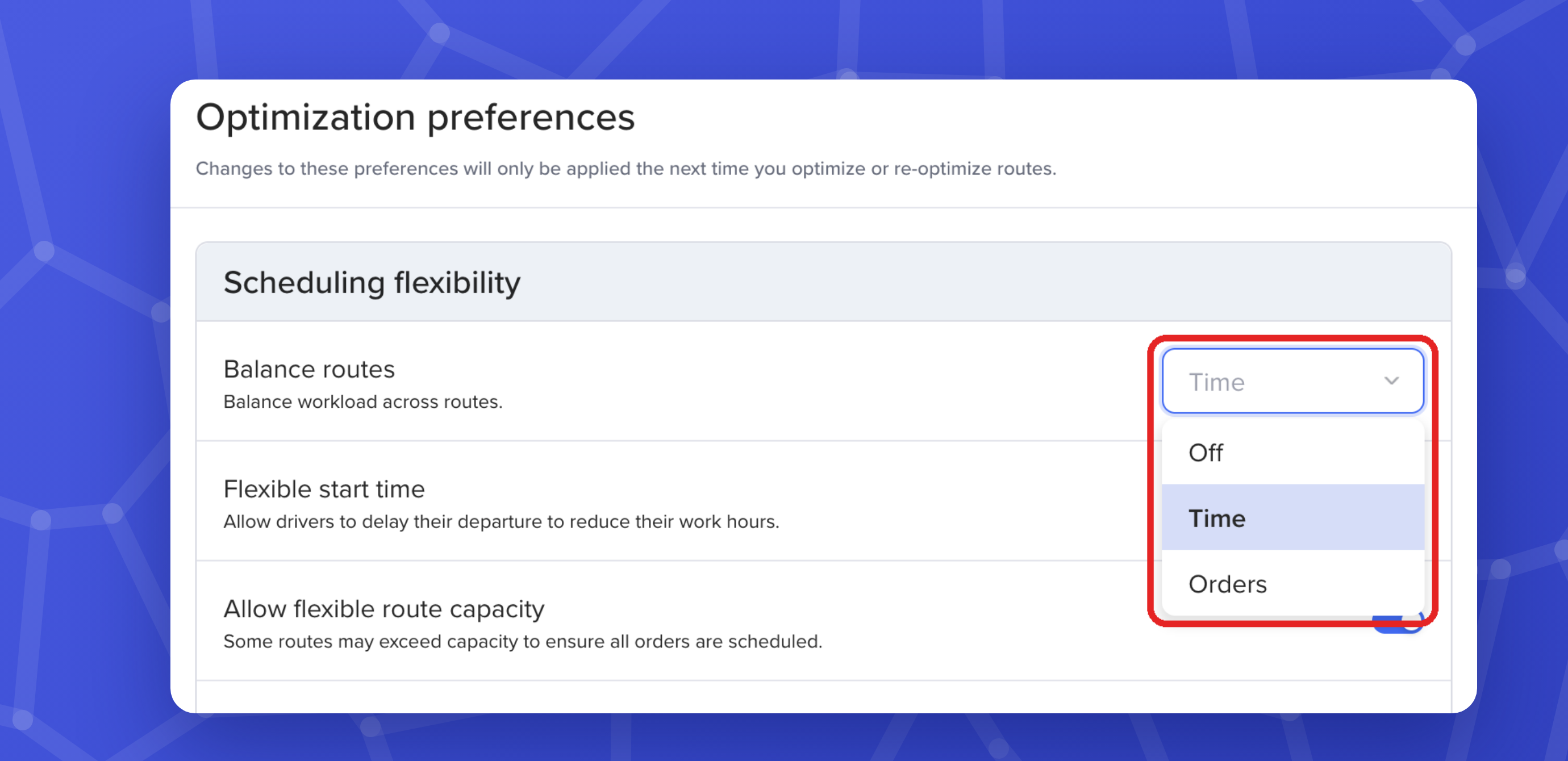
Balance routes by time
Have Routific balance orders across your routes by working time, so your drivers end up with similar shifts.
Dispatcher appSee details → - ReleasedOct 2026
Zapier-Routific integration
Zapier connects apps you already use so they can pass information to each other automatically, no code needed. Each automation is called a zap. A zap has two parts: Trigger: the event that kicks things off (for example, a new order comes in on your store) Action: what happens next in another app (for example, that order gets added to Routific) Routific is now in Zapier's app directory, so you can connect it to thousands of other tools your team uses. Learn more: https://www.routific.com/zapier-app
IntegrationsSee details → - ReleasedOct 2026
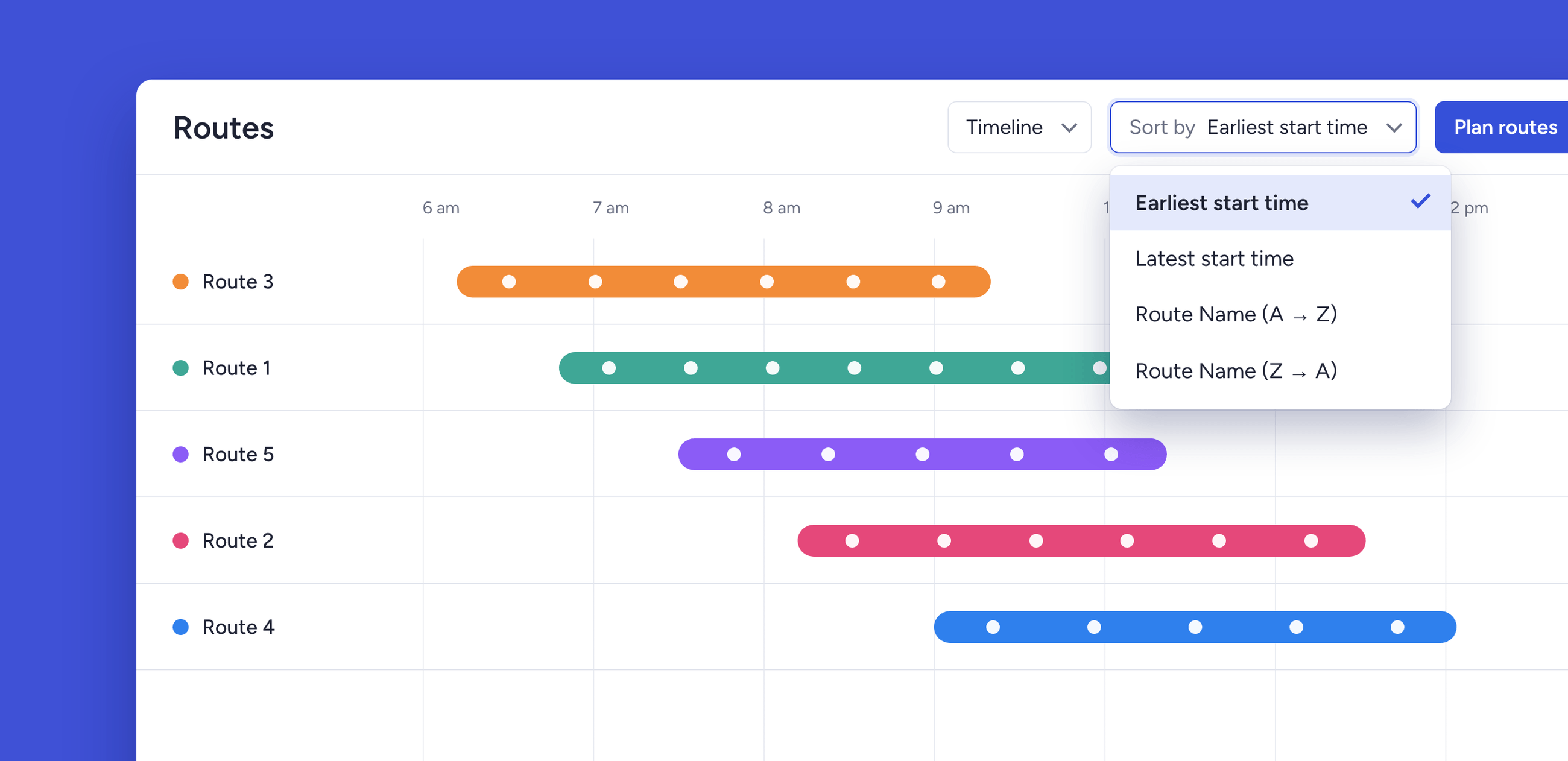
Sort routes by start time or name
Sort your routes by start time or name in the timeline and list views. CSV exports follow the same order. Learn more: https://help.routific.com/en/articles/71-using-the-routific-timeline
Dispatcher appSee details → - ReleasedOct 2026
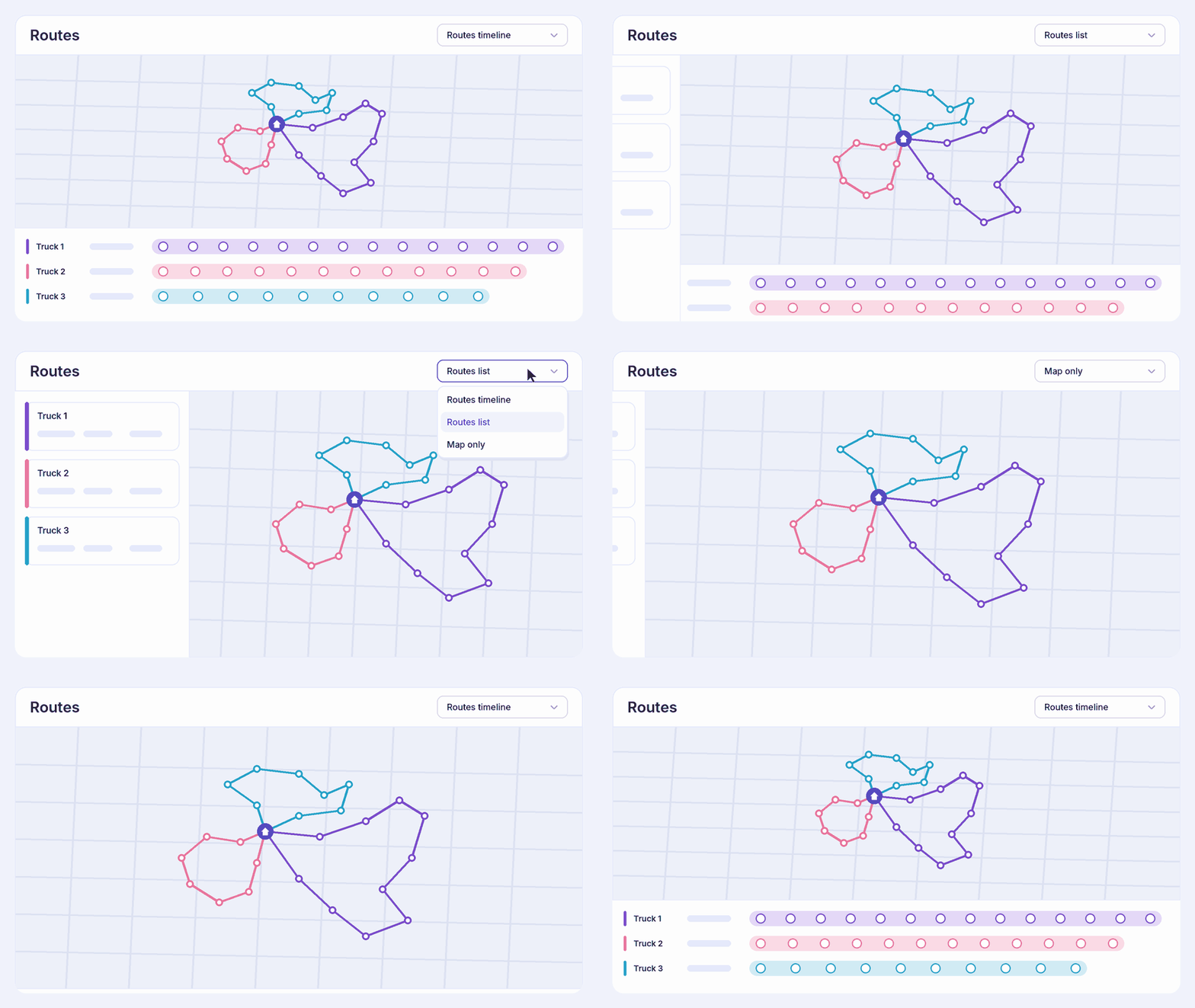
Timeline, list, and map views
Combine map, timeline, and list views to see your routes the way you like, plus a list view for your orders. Learn more: https://help.routific.com/en/articles/26-timeline-list-and-map-views-in-routific
Dispatcher appSee details → - ReleasedSep 2026
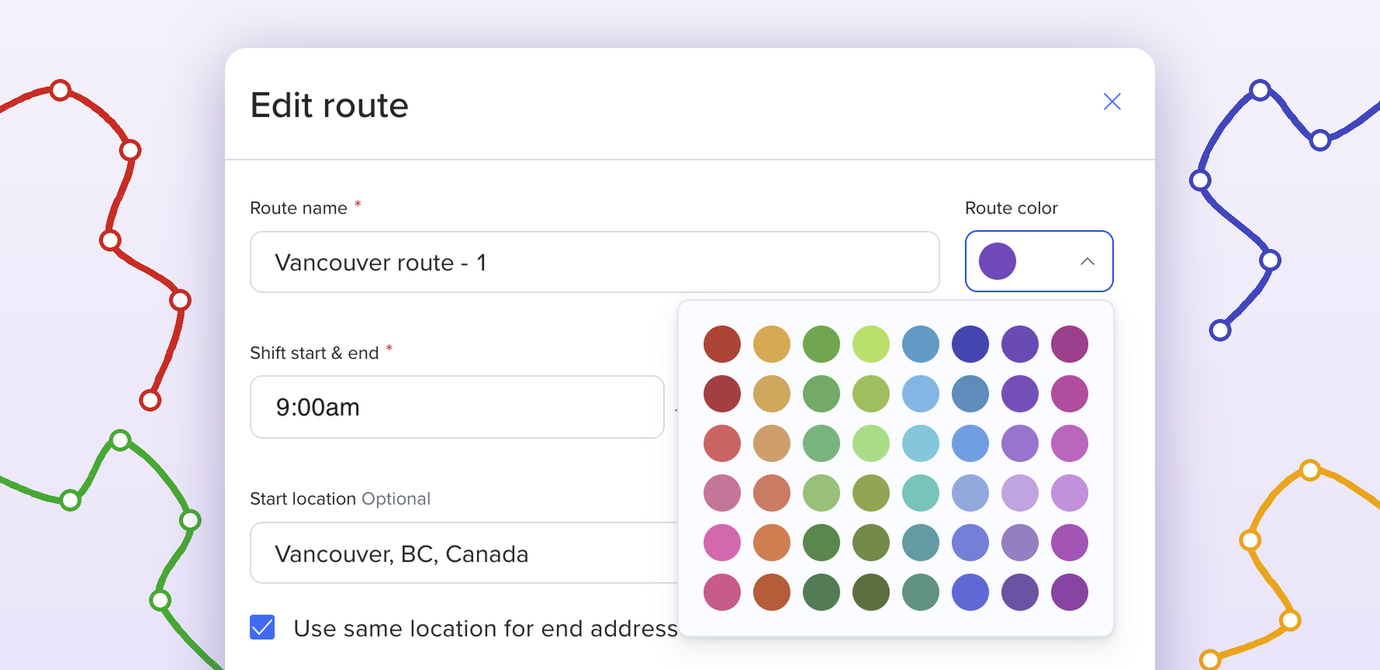
Choose your own route colors
Pick any route's color from a palette of 48, any time before the route is complete. Learn more: https://help.routific.com/en/articles/75-how-to-change-a-route-s-color
Dispatcher appSee details → - ReleasedSep 2026
Unpublish a dispatched route
Published a route too early, or by mistake? Pull it back from your driver before it starts, then republish when it's ready. Learn more: https://help.routific.com/en/articles/74-how-to-unpublish-your-route
Dispatcher appSee details → - ReleasedAug 2026
Automate your delivery day with the API and webhooks
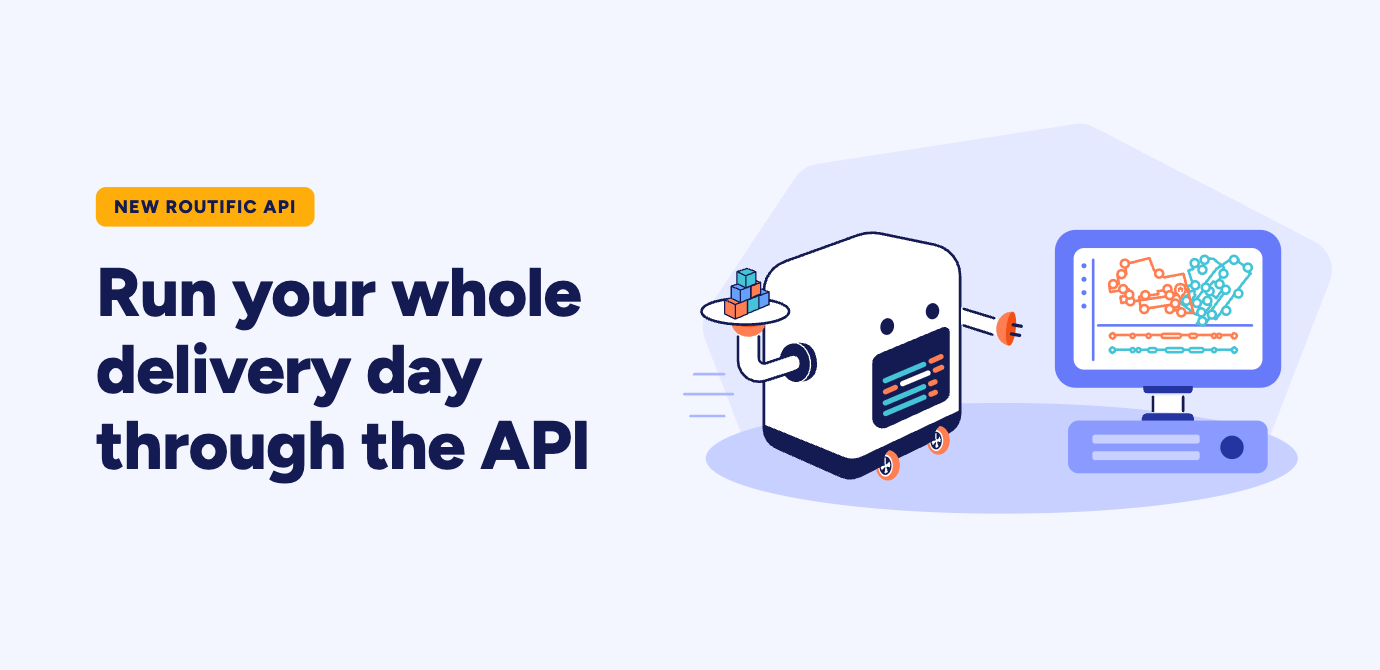
Run your whole delivery day through Routific's API: create orders, optimize, and publish routes. Webhooks send real-time updates to your other systems when routes are published, ETAs change, or an order's status changes. Learn more: https://api-docs.routific.com/reference/routific-projects-api
APISee details → - ReleasedAug 2026
Satellite view in the driver app
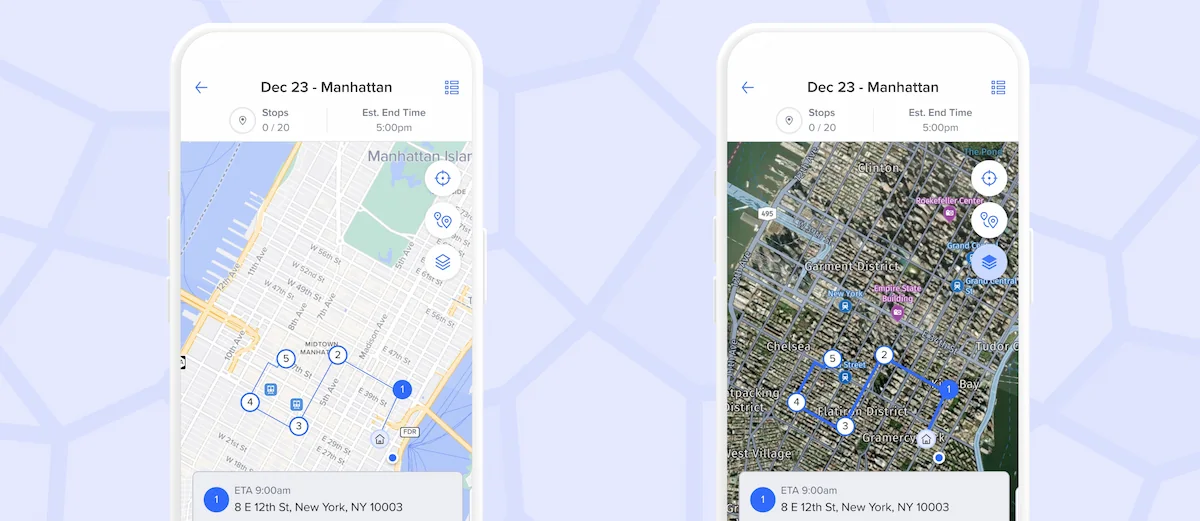
Drivers can switch to satellite view to spot parking, building entrances, and the right side of the street. Learn more: https://help.routific.com/en/articles/16-using-the-routific-mobile-app
Driver appSee details → - ReleasedAug 2026
Driver breaks
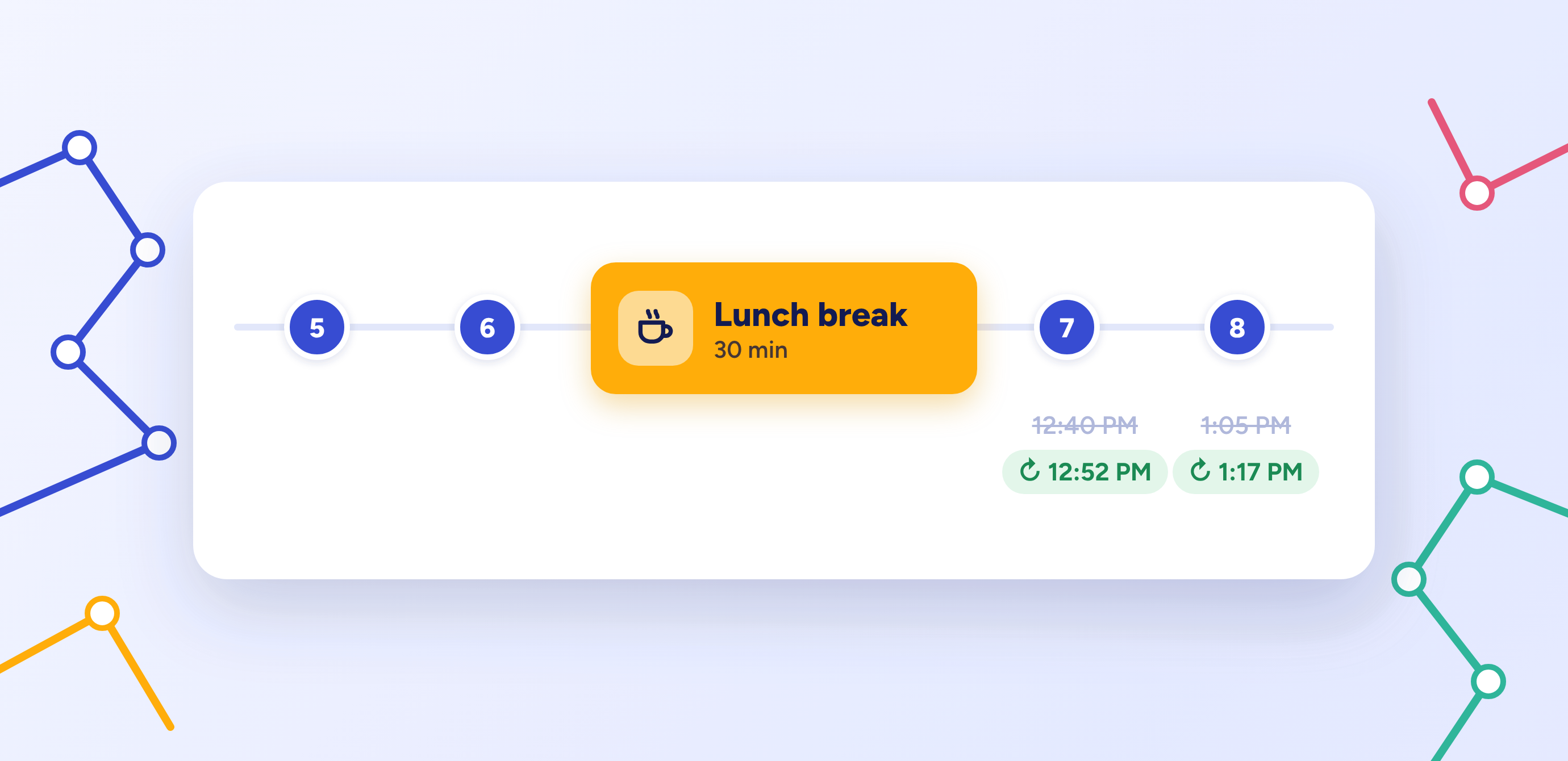
Plan breaks into your drivers' routes. Drivers log their actual breaks in the app, and routes and ETAs update automatically. Learn more: https://help.routific.com/en/articles/73-driver-breaks
Dispatcher appSee details → - ReleasedAug 2026
Manage all your orders from one screen
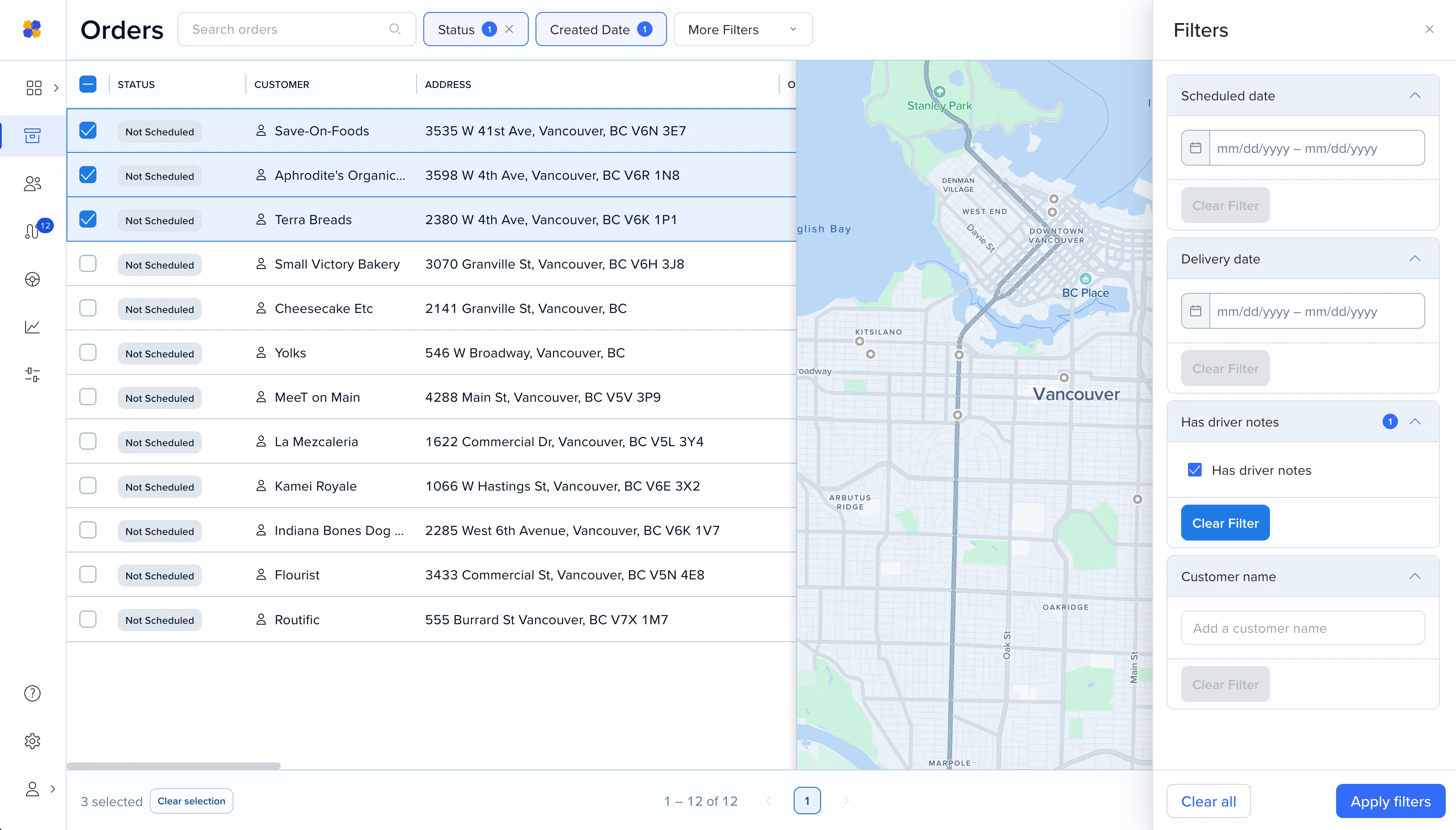
The Orders page now has broader search, filters you can combine, a map, and bulk actions, so you can find and update orders faster. Learn more: https://help.routific.com/en/articles/72-using-routific-s-order-page
Dispatcher appSee details → - ReleasedJul 2026
Customize your CSV exports
Choose which columns go into your route CSV downloads, so you get the data you need without trimming spreadsheets.
Dispatcher appSee details → - ReleasedJul 2026
Turn driver reordering on or off
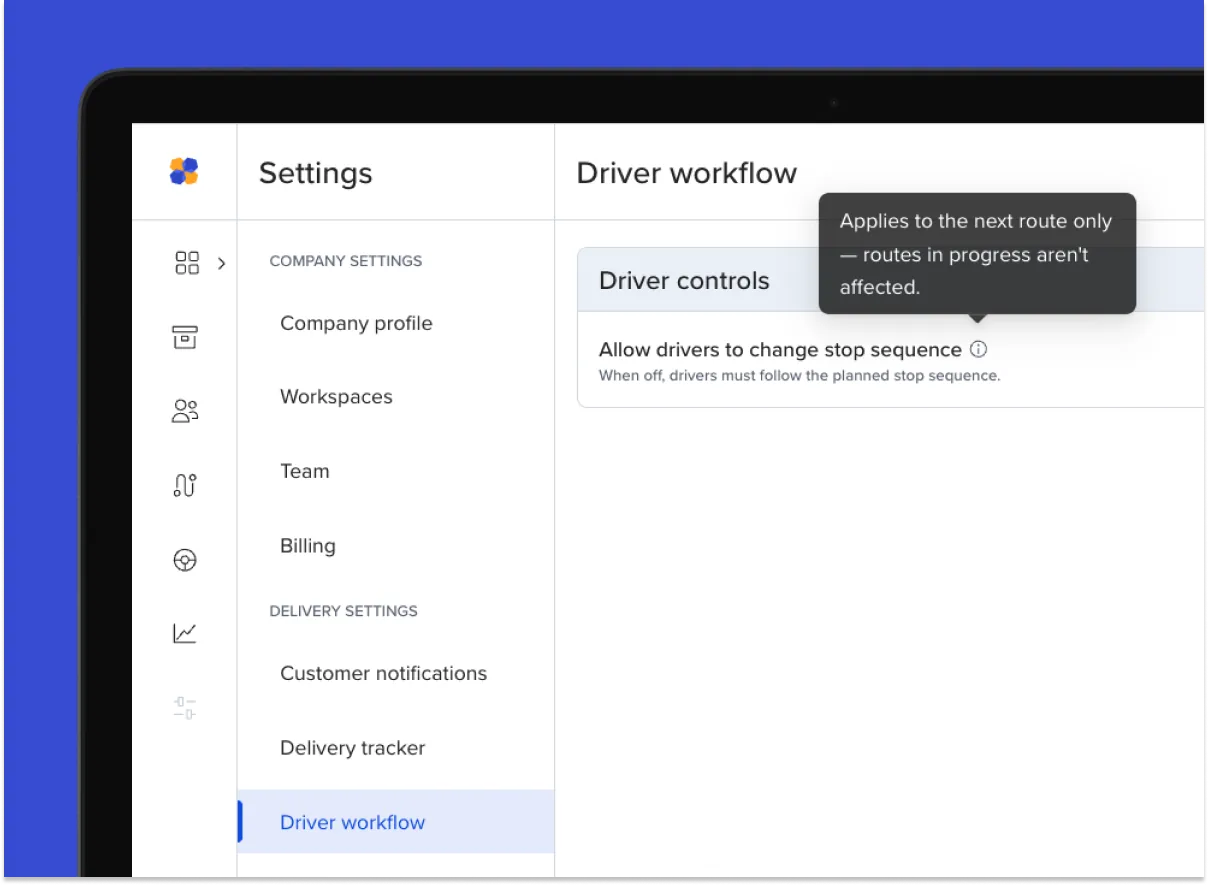
Decide whether drivers can change the order of their stops during a route, so you stay in control of the plan when you need to. Learn more: https://help.routific.com/en/articles/42-how-drivers-can-complete-stops-in-a-different-sequence
Dispatcher appSee details → - ReleasedJul 2026
Move multiple stops on the Timeline
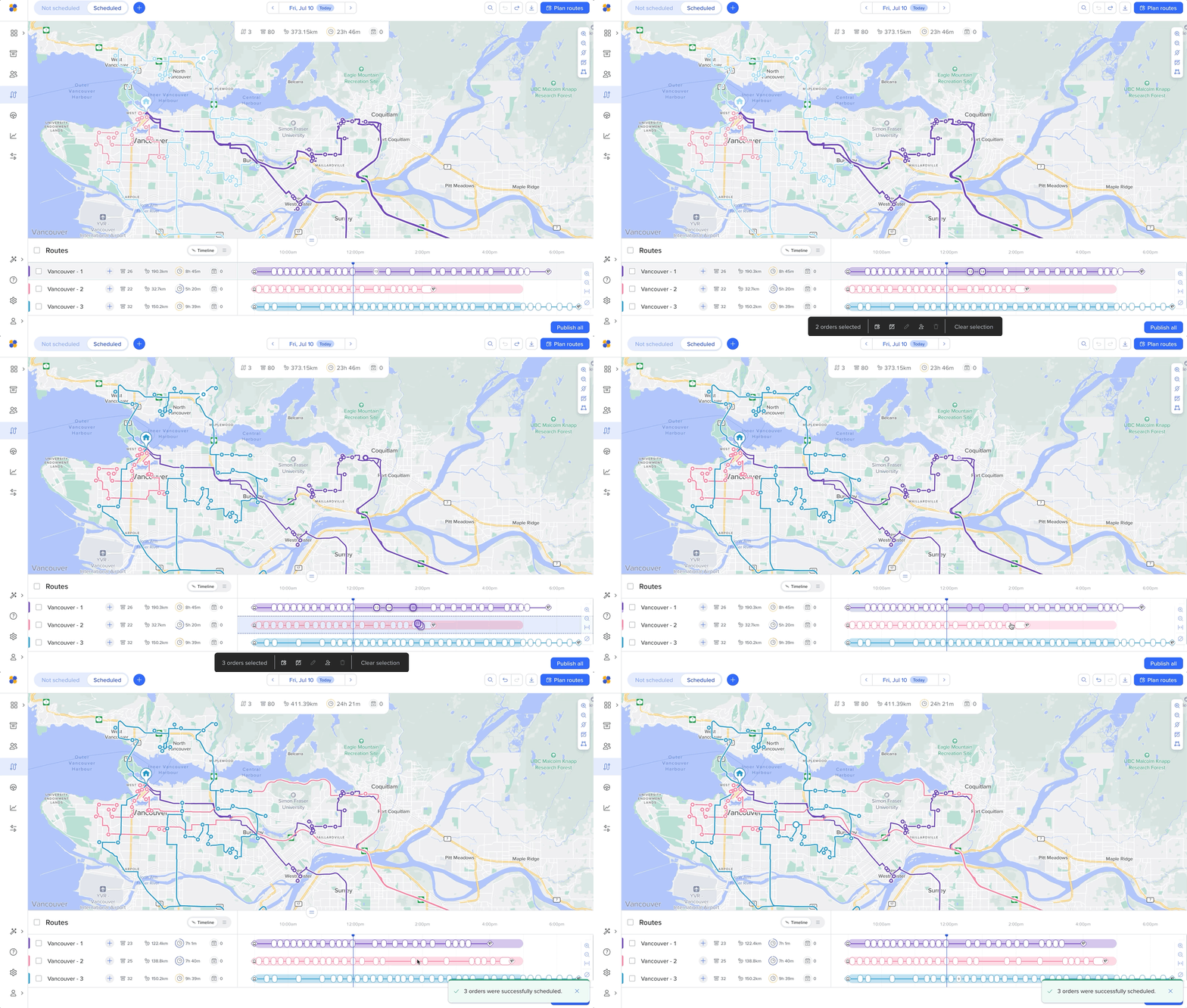
Select several stops at once and drag them between routes or within a route, right on the Timeline. You can also adjust how the Timeline is displayed. Learn more: https://help.routific.com/en/articles/71-using-the-routific-timeline
Dispatcher appSee details → - ReleasedJun 2026
See where deliveries were actually completed
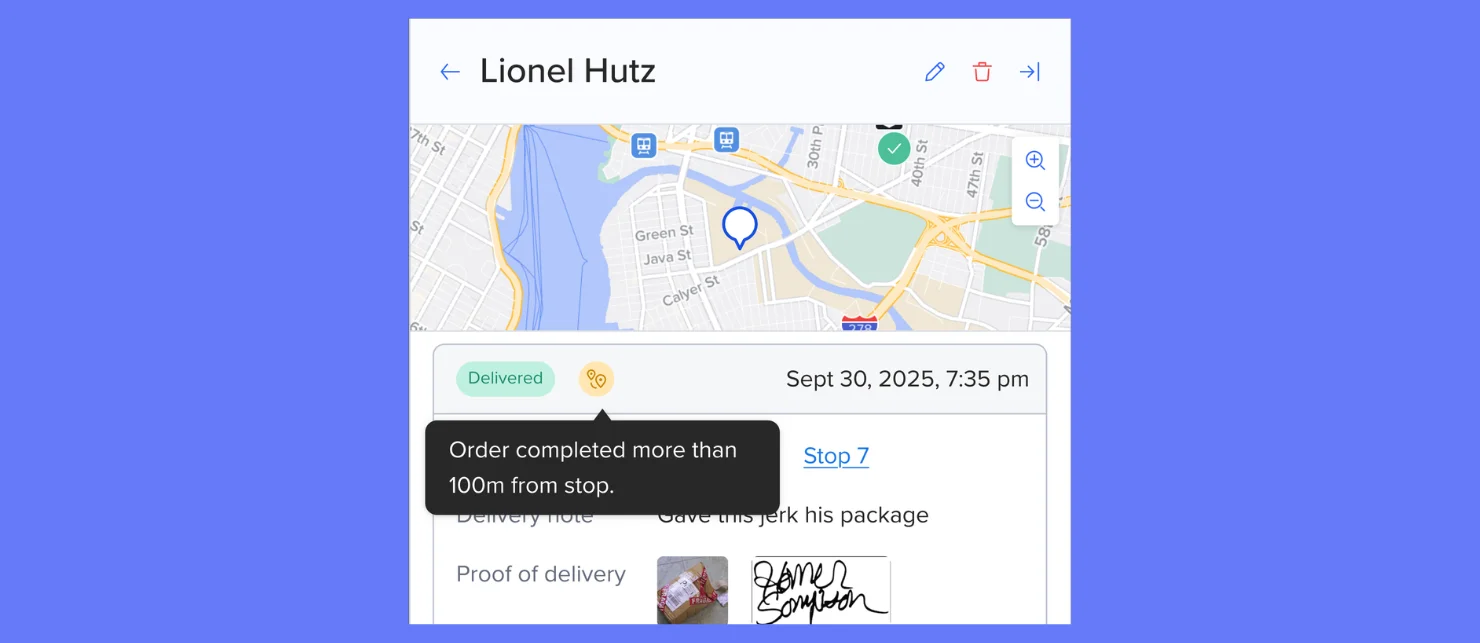
When a driver marks a stop complete, Routific saves where they were. You'll see it next to the planned location, with a warning if the two are far apart.
Dispatcher appSee details → - ReleasedJun 2026
Customize your customer notifications
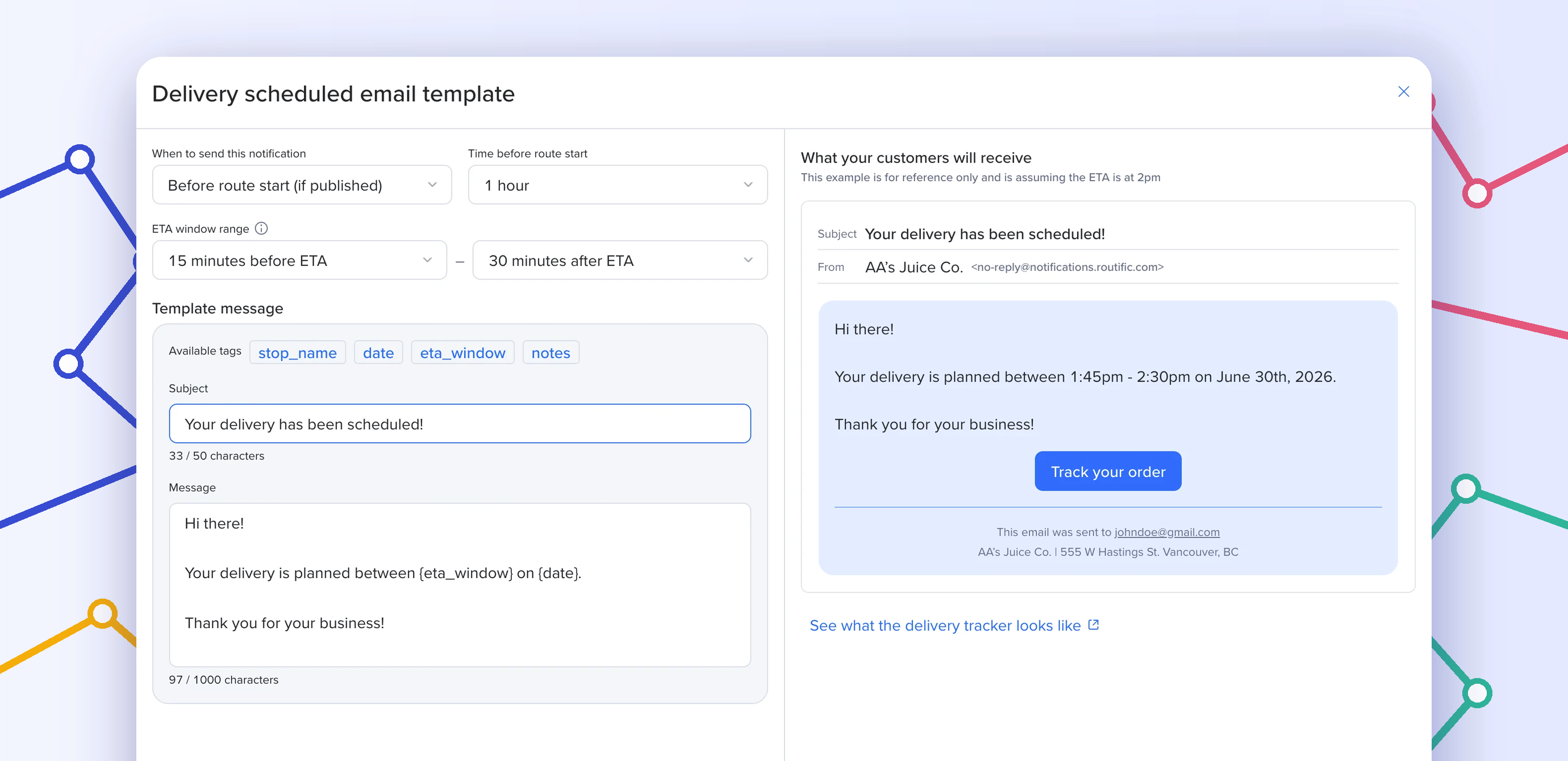
Your customers hear from you, in your words. Write your own email and SMS messages, add details like their name and arrival window, and preview each one before it goes out. You also choose when the "delivery scheduled" message is sent, from right when you publish to up to 24 hours before the route starts, and how wide an arrival window to promise. Learn more: https://help.routific.com/en/articles/22-how-to-set-up-email-customer-notifications
Dispatcher appSee details → - ReleasedJun 2026
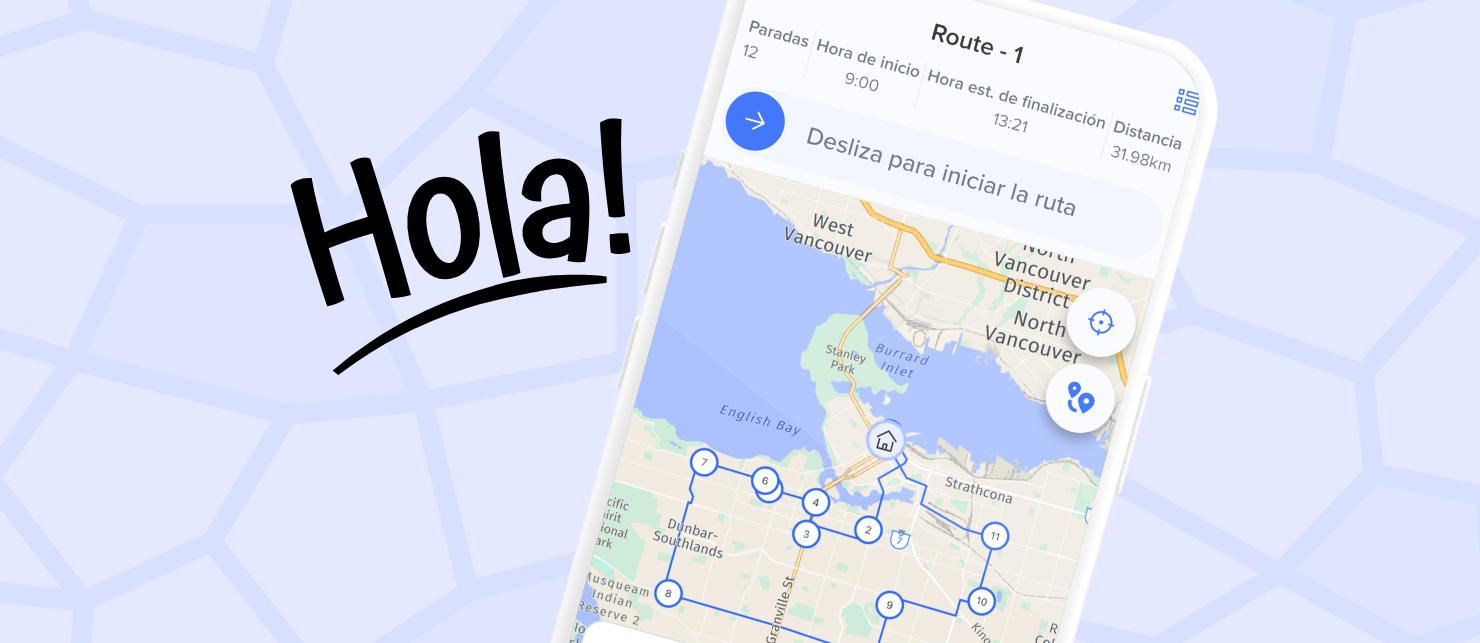
Driver app in Spanish, Dutch, Portuguese, and Italian
The Routific driver app now speaks your drivers' language. It follows the language set on their phone, so there's nothing to configure. Learn more: https://help.routific.com/en/articles/56-is-the-routific-mobile-app-available-in-my-language
Driver appSee details → - ReleasedJun 2026
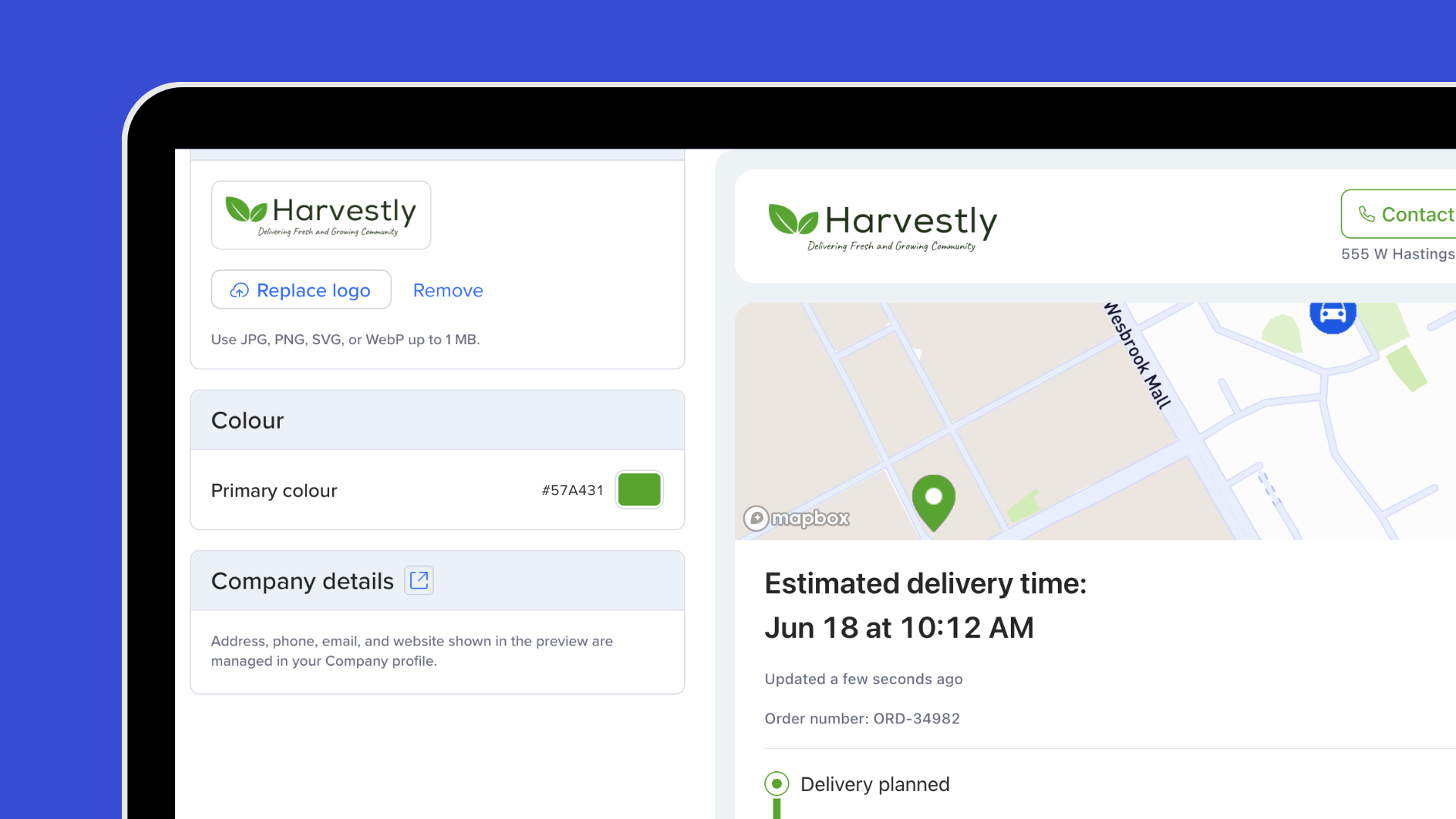
Brand your delivery tracker
Add your logo and brand color to the delivery tracker your customers see.
Customer portalSee details → - ReleasedApr 2026
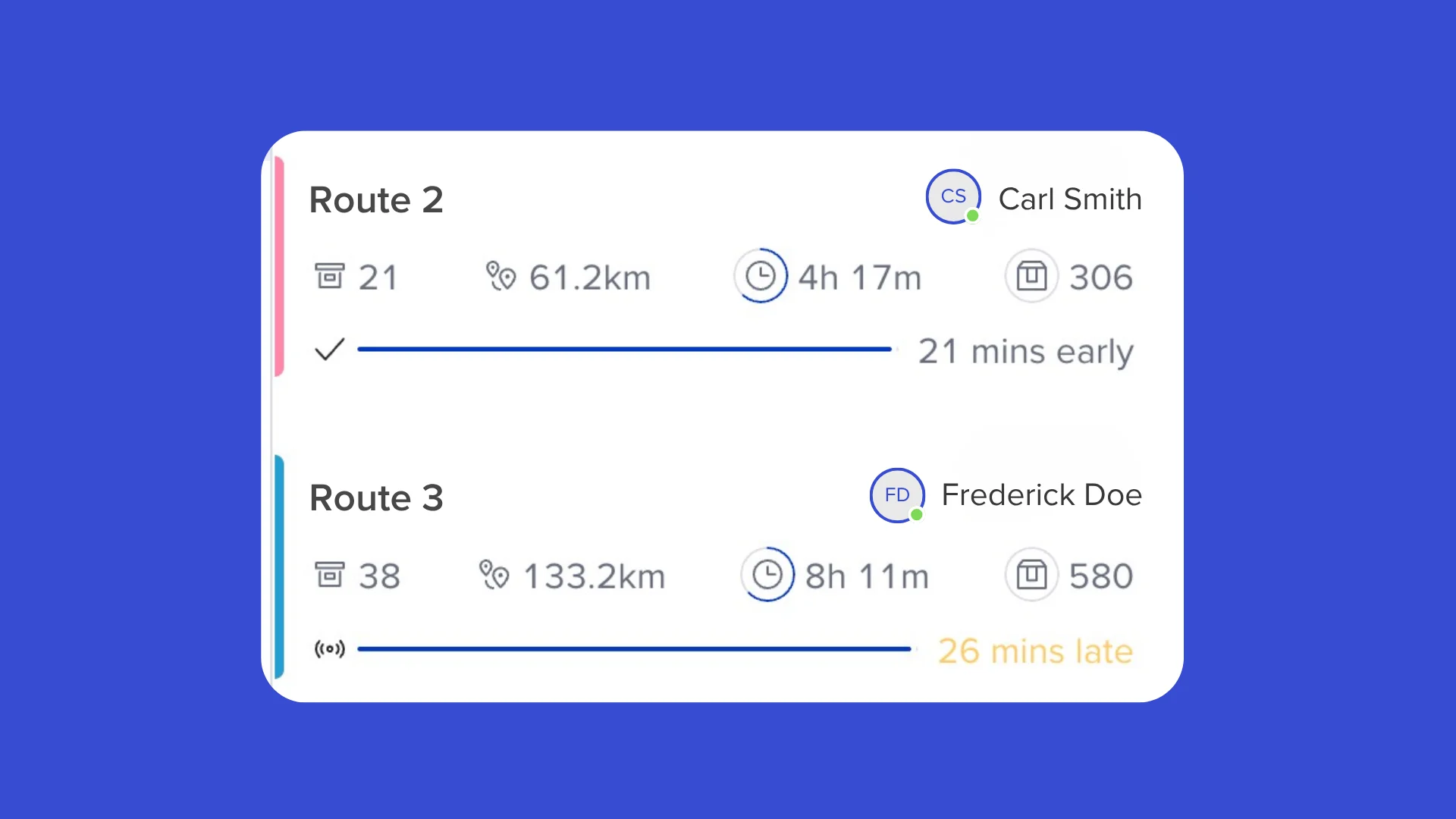
Track driver on-time stats through the day
See which drivers are on time, early, or running behind while routes are in progress.
Dispatcher appSee details → - ReleasedApr 2026
Shopify-Routific integration
Routific's Shopify integration lets you import orders directly from your store — no manual re-entry. Once connected, you can select orders, review how Shopify fields map to Routific fields, and create your routes in just a few clicks. Learn more: https://www.routific.com/shopify-app
IntegrationsSee details → - ReleasedApr 2026
Set driver speed
Some drivers are faster than others. Set a speed factor for each driver's driving time and time at each stop, so routes and ETAs match how they actually work. Learn more: https://help.routific.com/en/articles/60-driver-speed
Dispatcher appSee details → - ReleasedMar 2026
Use tags to apply business rules
Tag orders and routes to match the right driver or vehicle to each stop, whether that's by driver preference, skills, area, or vehicle requirements. Learn more: https://help.routific.com/en/articles/58-understanding-tags
Dispatcher appSee details → - ReleasedFeb 2026
Save your customers
Keep a list of recurring customers with their names, addresses, and notes, and create orders from it without retyping anything. Learn more: https://help.routific.com/en/articles/57-how-to-save-customers-in-routific
Dispatcher appSee details → - ReleasedDec 2025
Copy routes and reuse a past day's setup
Copy a route to any date, or reuse a past day's drivers, locations, shift times, and tags to set up recurring routes in a few clicks. Learn more: https://help.routific.com/en/articles/54-how-do-i-copy-routes
Dispatcher appSee details → - ReleasedDec 2025
Barcode scanning
Drivers scan packages at the door to make sure the right items go to the right customer. Learn more: https://help.routific.com/en/articles/55-use-barcode-scanning-to-prevent-wrong-deliveries
Driver appSee details →